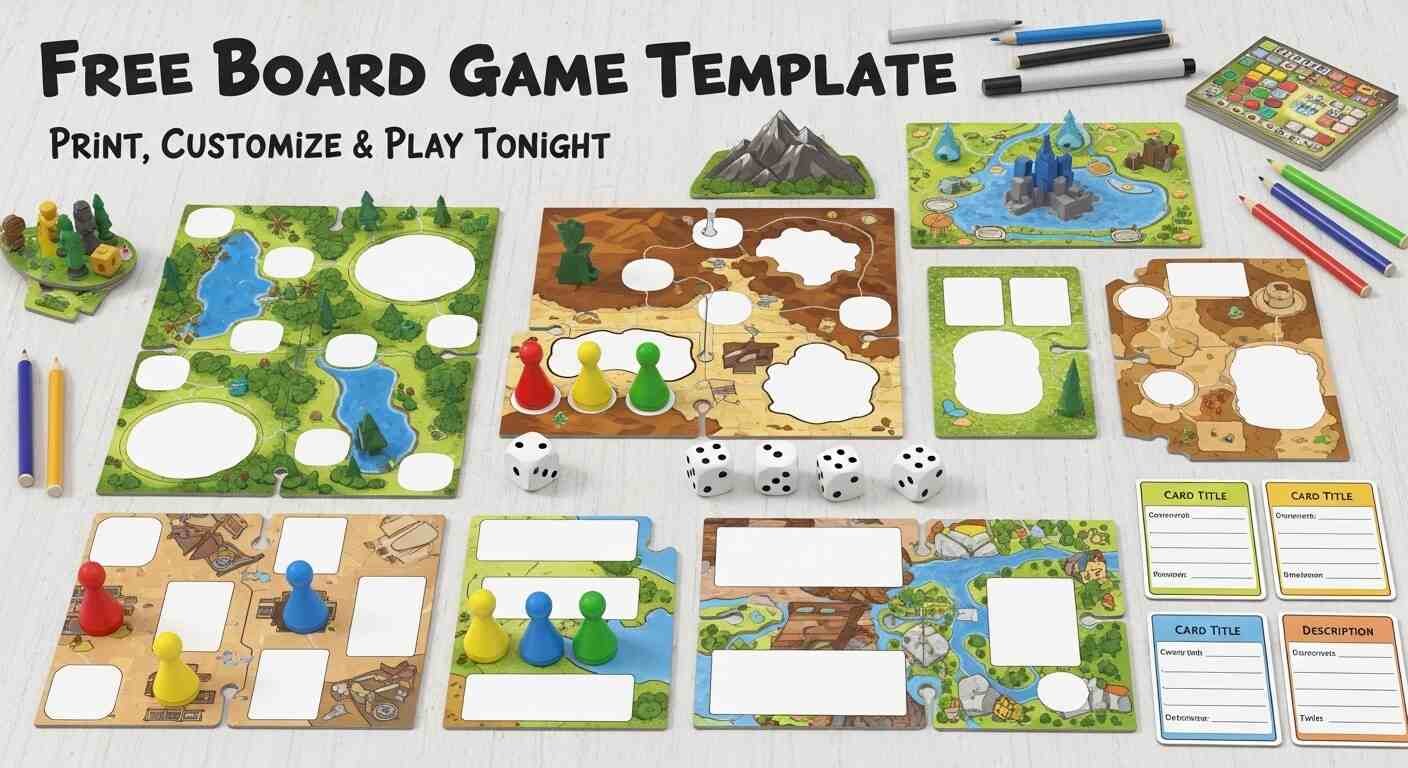
Making your own board game sounds like a weekend project that requires graphic design skills, special software, and more time than anyone has. It doesn’t. With the right template — a clean, blank board structure you can customize without touching any design tools — you can go from idea to playable game in under an hour.
This guide gives you everything you need: free printable board game templates in multiple formats, step-by-step instructions for customizing each type, complete guidance on rules design, and tips for making your homemade game actually fun to play rather than just functional on paper.
Whether you’re a teacher creating a classroom review game, a student working on a project, a parent making something for a family game night, or just someone with a game idea they want to test — this is your complete starting resource.
What Is a Board Game Template?
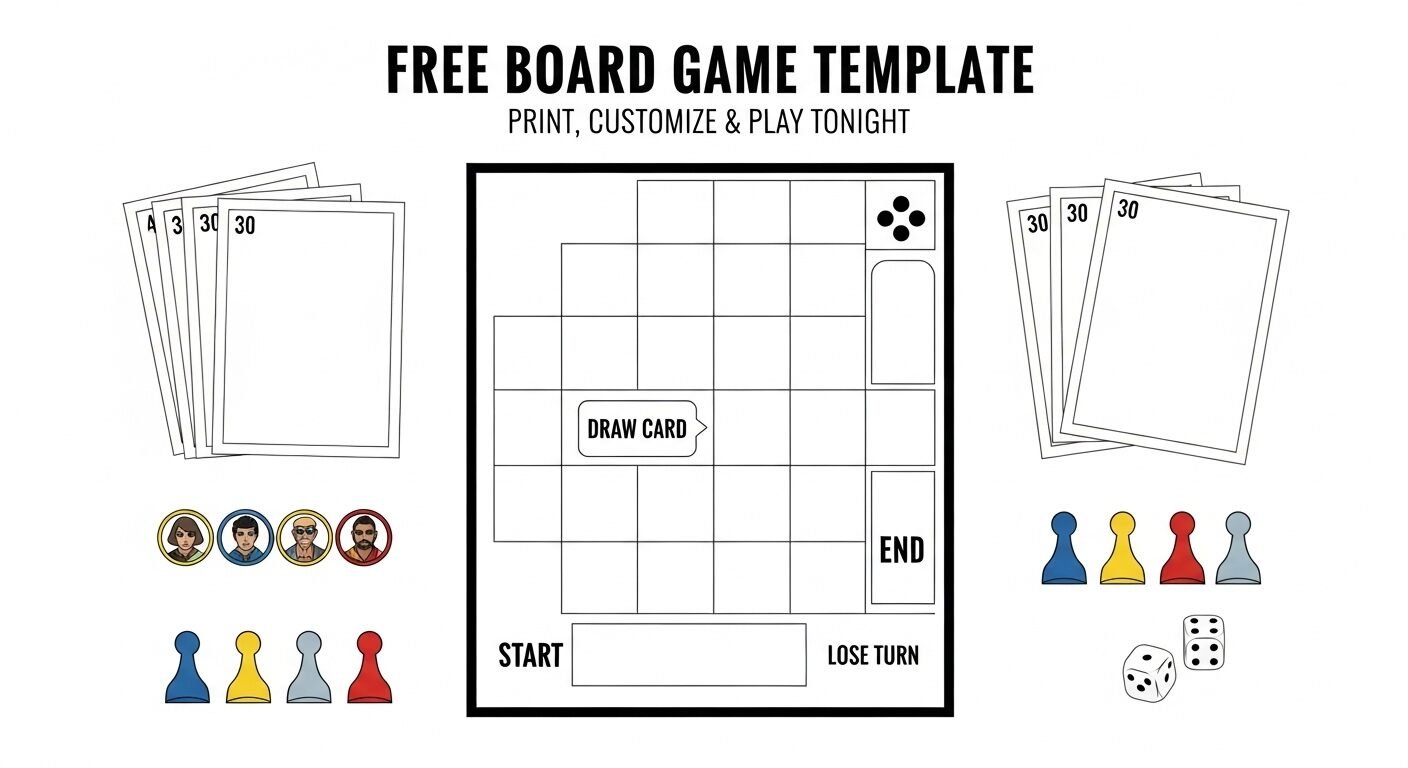
A board game template is a pre-designed blank board structure — printed on paper, available as a downloadable file, or editable in a browser — that gives you the physical layout of a board game without any specific content filled in.
Think of it as the skeleton of a board game. The track is drawn. The spaces are laid out. The start and finish are positioned. You supply everything else — the theme, the rules, the space instructions, the cards, and the win condition.
Templates exist for every major board game format — linear track games, grid games, spiral path games, and custom shape games. Using a template means you skip the hardest part of game design — building a playable structure from scratch — and jump straight to the fun part: filling it with your own content.
Free Board Game Templates — Where to Get Them Right Now
Here are the best free sources for board game templates across different formats and use cases.
Option 1 — Google Slides Board Game Template (Best for Customization)
What it is: A fully editable board game template built in Google Slides — customizable text, colours, spaces, and images without any design software.
How to get it:
- Open Google Slides at slides.google.com
- Click “Template Gallery” at the top
- Search “board game” in the template gallery
- Several community-submitted board game templates appear — select any and click “Use Template”
- The template copies directly to your Google Drive and is immediately editable
Alternatively: Search “free board game template Google Slides” in Google and dozens of community-created templates are available as shareable links. Click the link, go to File → Make a Copy, and you have your own editable version instantly.
Best for: Teachers who need a printable classroom game, students creating project presentations, anyone who wants full colour customization without graphic design skills.
Limitations: Printing from Google Slides requires some formatting attention — set your slide dimensions to match your paper size before printing.
Option 2 — Canva Board Game Template (Best for Visual Design)
What it is: Canva offers multiple free board game templates in its template library — professionally designed layouts with editable text, colours, and images.
How to get it:
- Go to canva.com — free account required
- Search “board game template” in the template search bar
- Filter by Free to see only no-cost options
- Select any template and begin editing directly in the browser
- Download as PDF for printing or PNG for digital use
Best for: Users who want a visually polished result — the Canva templates look professional even with zero design skill applied. Good for classroom display games, birthday party games, and any context where appearance matters.
Limitations: The free Canva plan limits some fonts and elements. Full customization may require a Canva Pro subscription for certain premium template elements.
Option 3 — Microsoft Word / PowerPoint Templates (Best for Offline Use)
What it is: Blank board game templates formatted for Word or PowerPoint — downloadable files you can edit offline without an internet connection.
How to get it:
- Open Microsoft Word or PowerPoint
- Go to File → New → search “board game” in the template search
- Download any available template directly into the application
- Alternatively search “board game template Word free download” for community-created versions
Best for: Schools or households where Google Docs or Canva aren’t available. Works completely offline once downloaded.
Limitations: Less visually polished than Canva options. Limited to whatever templates Microsoft has published, which are fewer than community Google Slides options.
Option 4 — Printable PDF Templates (Best for Immediate Physical Play)
What it is: Pre-formatted PDF files designed to print directly onto A4 or letter-size paper — no editing required beyond handwriting your content onto the printed template.
How to get it:
- Search “printable board game template PDF free” in Google
- Multiple teacher resource sites — Teachers Pay Teachers, Pinterest, and dedicated printable sites — offer free PDF templates
- Download directly and print immediately
Best for: Fastest path from idea to physical game. No computer skills required beyond printing. Excellent for classroom craft activities where students fill in templates by hand.
Limitations: No digital customization — all content is added by hand after printing. Templates are fixed in layout and cannot be modified without graphic design tools.
Option 5 — Hand-Drawn Templates (Best for Zero Technology)
What it is: A blank piece of paper or card stock on which you draw your own board game template freehand.
How it works:
- A large sheet of paper, card stock, or poster board
- A ruler and pencil for clean lines
- Coloured markers for finishing
This is the original board game template — and for simple linear track games or grid games it works just as well as any digital option. Many of the most memorable homemade board games were drawn by hand on poster board.
Best for: Young children making their first game, classroom craft activities where the making is as important as the playing, and anyone who enjoys the tactile process of creating something physical.
Limitations: Less precise than printed templates. Difficult to replicate for multiple copies.
Board Game Template Types — Which One Do You Need?
Different game ideas need different board structures. Here’s a guide to the main template types and which game ideas each suits.
Linear Track Template
What it looks like: A winding path of numbered spaces from START to FINISH — like Snakes and Ladders or the Game of Life.
Best for:
- Review games where students answer questions to advance
- Race games where players compete to reach the finish first
- Story games where each space triggers a narrative event
Standard specifications:
- 30 to 60 spaces for a 30–60 minute game
- Spaces large enough to write 1–2 words of instruction
- Clear START and FINISH markers
- Occasional branch paths for added decision-making
Template sources: Search “linear track board game template printable” — this is the most common template type and the easiest to find in all formats.
Grid Template
What it looks like: A square or rectangular grid of equal-sized cells — like a chess board or Scrabble board.
Best for:
- Strategy games where players place pieces or tokens
- Word games where letters or tiles fill cells
- Territory games where players compete to control areas
- Matching games where cards or tiles cover cells
Standard specifications:
- 8×8 for chess-style games
- 10×10 for territory or word games
- 15×15 for larger vocabulary or tile-placement games
- Uniform cell size throughout
Template sources: Any spreadsheet application — Google Sheets, Microsoft Excel — creates a perfect grid template. Format the cells to equal square dimensions, add borders, and print.
Spiral Path Template
What it looks like: A path that spirals inward from the outer edge to a central destination — or outward from the centre.
Best for:
- Games with a clear beginning and destination
- Zen or journey-themed games where progression toward a centre feels meaningful
- Games with escalating difficulty as players move toward the centre
Standard specifications:
- 40 to 80 spaces spiralling inward
- Wider outer spaces that narrow as the path approaches the centre
- Central destination space large enough for a trophy, crown, or thematic symbol
Template sources: Less common than linear templates — search “spiral board game template free” for specific results. Canva has several spiral path templates in its library.
Zone Template (Non-Linear)
What it looks like: A board divided into distinct zones or regions — like Monopoly’s properties grouped by colour, or a map divided into territories.
Best for:
- Property or territory games
- Map-based games
- Games where players operate in different areas simultaneously
- Roleplaying game maps
Standard specifications:
- 4 to 8 distinct zones
- Clear visual boundaries between zones
- Space within each zone for tokens, cards, or written information
Template sources: Canva offers the best zone-template options given the visual design flexibility. Google Slides community templates include some map and zone formats.
Customized Shape Templates
What it looks like: A board shaped like a specific object — a snake, a dinosaur, a rocket ship — where the playing path follows the shape’s outline.
Best for:
- Children’s games where visual engagement matters
- Themed party games where the board reinforces the theme
- Birthday games built around a specific child’s interest
Template sources: These are harder to find as blank templates. Canva and similar tools let you create them from scratch using shape tools. For physical games, drawing freehand on shaped poster board works well.
How to Make Your Own Board Game Using a Template — Step by Step
Once you have your template, here’s the complete process for turning it into a playable game.
Step 1 — Define Your Game Concept
Before customizing any template, answer these five questions:
- Who is playing? Age, group size, and context — classroom, family, party — determine appropriate complexity, content, and playing time.
- What is the theme? A specific subject area for classroom review games. A topic you love for personal projects. A fictional setting for creative games. The theme shapes every decision that follows.
- What is the core mechanic? How do players advance? Roll a die and move? Answer questions correctly? Collect tokens? Complete challenges? One clear core mechanic makes games easier to design and understand.
- What is the win condition? First to reach the finish? Most tokens collected? Highest score at game end? The win condition shapes the entire game structure.
- How long should it last? 15 minutes for a quick classroom activity. 30–45 minutes for a standard game night. 60–90 minutes for a longer family evening. Game length is controlled primarily by board size and the number of question or challenge cards.
Write answers to all five questions before opening your template. Games that start from clear answers to these questions are dramatically better than games designed by intuition alone.
Step 2 — Choose and Prepare Your Template
Select the template type that best matches your core mechanic:
- Race to the finish → linear track template
- Territory or placement → grid template
- Journey inward → spiral template
- Property management → zone template
Open your chosen template source and make a copy to your personal account or download it for offline editing. Do not edit the original template — always work from your personal copy.
Set your page dimensions to match your target print size before adding any content. A4 or letter-size works for tabletop play with four or fewer players. A3 or tabloid size is better for larger groups where everyone needs to see the board simultaneously.
Step 3 — Design Your Space Instructions
For linear track and spiral templates, each space needs an instruction. Space instructions fall into five main categories:
- Advance spaces — move forward a set number of spaces. Use sparingly — too many make the game feel random rather than skill-based.
- Go back spaces — move backward a set number of spaces or return to a specific space. The classic penalty mechanic.
- Draw a card spaces — players draw from a question deck, challenge deck, or action deck. The most flexible mechanic — cards can contain anything you want.
- Pay or collect spaces — exchange tokens, points, or resources with other players or a central bank. Works for economy-themed games.
- Special event spaces — unique instructions that only appear once or twice on the board. “Skip your next turn,” “take an extra turn,” “swap places with any player” — these create dramatic moments without requiring cards.
- Content rule for educational games: For classroom review games, make 60–70% of spaces “draw a question card” spaces and distribute the remaining spaces across advance, go back, and special event types. This keeps the focus on the educational content while maintaining game mechanics.
Step 4 — Create Your Cards
Most board game templates need accompanying cards — question cards, challenge cards, action cards, or item cards. Cards are what give most spaces their content and keep the game from becoming purely about dice rolls.
Minimum card count: Create at least 30 cards for a 30–60 minute game. Fewer than 30 cards means cards repeat too often, reducing replayability. 50–80 cards is ideal for standard game sessions.
Card types to consider:
- Question cards — “Name three countries in South America.” Best for educational or trivia games. Correct answer = advance one space. Incorrect = stay put or go back one.
- Challenge cards — “Act out a movie title without speaking.” Best for party games. Success = advance. Failure = the consequence written on the card.
- Action cards — “Move to the nearest red space” or “Give two tokens to the player of your choice.” Best for strategy and resource games.
- Reward cards — “Collect five points” or “Take an extra turn.” Best for economy games and longer sessions.
- Penalty cards — “Go back three spaces” or “Lose your next turn.” Use sparingly — too many penalty cards create frustration rather than challenge.
Card creation tools:
- Google Slides with a card-sized template (8.5cm × 5.5cm cells in a grid)
- Canva’s card template format
- Microsoft Word table format with equal-sized cells
- Physical index cards cut to size and written by hand
Step 5 — Write Your Rules
Every playable game needs a clear rules document. Keep it short — one A5 page maximum for most games. A rules document that requires ten minutes to read is a rules document nobody will read.
Essential rules sections:
- Objective: One sentence. “The first player to reach the FINISH space wins.”
- Setup: How to arrange the board, how many cards to deal, what each player starts with.
- Turn structure: Exactly what happens on each player’s turn in numbered steps.
- Space instructions: What each type of space means — refer players to the board for specific content.
- Special rules: Any exceptions, edge cases, or unusual mechanics.
- End game: How the game ends and how the winner is determined.
- Rules writing tip: Write your rules, then have someone unfamiliar with the game read them and try to play without asking you any questions. Every question they have reveals a gap in your rules. Fix those gaps before the first real playtest.
Step 6 — Playtest Before Printing
Before printing final copies or investing time in detailed finishing, playtest with the minimum viable version — pencil marks on a printed draft, handwritten cards on index cards, tokens made from whatever is nearby.
What to check in a playtest:
- Pacing: Does the game move at the right speed? If players are spending more time waiting than playing, reduce board size or add more advance spaces. If the game ends in five minutes, extend the board or add more complex card interactions.
- Balance: Does one position have an overwhelming advantage? Does going first win almost every time? Does one card type appear too frequently? These are balance issues solvable by adjusting space distribution or card counts.
- Fun factor: Is there genuine tension at the end? Are players invested in what happens on other players’ turns? If the answer to both is no, the game needs a mechanic that creates interdependence — some way for one player’s outcome to affect others.
- Clarity: Does any rule create disputes? Does any space instruction confuse players? Every ambiguity caught in playtesting is an argument prevented in final play.
Step 7 — Finalize and Print
After playtesting and refining, prepare the final version for printing:
- Board: Print on the largest paper your printer supports — A3 or tabloid for group play, A4 or letter for intimate games. For a sturdier board, print on card stock or laminate the printed sheet. For a long-lasting board, mount the printed sheet onto foam board using spray adhesive.
- Cards: Print on card stock for durability. Cut individual cards cleanly using a guillotine cutter rather than scissors for professional edges. Sleeve cards in standard playing card sleeves if the game will be played frequently.
- Tokens and pieces: Repurpose components from other games — coins, counters, dice, playing pieces. Buy inexpensive token sets from craft stores or online. Use small coloured stickers as player markers in a pinch.
- Rules document: Print one copy per game set and fold it to fit inside the game box or clip it to the board.
Board Game Template Ideas — 20 Ready-to-Use Game Concepts
Use any of these concepts with the templates described above:
Classroom and Educational
- Vocabulary Race — Players advance by correctly defining vocabulary words drawn from the card deck. Wrong answers send you back three spaces. First to FINISH wins. Uses a linear track template with 40 spaces.
- History Timeline — Spaces correspond to historical periods. Question cards ask about events from each period. Players must answer a question correctly to leave a period space and advance. Uses a linear track with colour-coded period zones.
- Math Challenge Track — Every space is a different math problem — easy near start, progressively harder toward finish. Correct answer = advance one extra space. Incorrect = stay. Uses a linear track template.
- Science Category Grid — A grid where each column represents a science category — biology, chemistry, physics, earth science — and each row represents a difficulty level. Players place tokens on cells by correctly answering questions at the appropriate difficulty. Uses a grid template.
- Geography World Tour — A map-based zone template where each zone represents a continent. Players answer geography questions to collect country cards from each zone. Most cards at game end wins.
Party and Social
- Would You Rather Track — Players draw “Would you rather” cards and must argue for their choice for 30 seconds. Other players vote on the most convincing argument. Winner advances two spaces. Uses a linear track template.
- Dare or Truth Race — Spaces alternate between Dare cards and Truth cards. Players who complete the dare or answer the truth advance the stated number of spaces. Players who pass lose their turn. Uses a linear track template.
- Trivia Zones — A zone template where each zone is a different trivia category. Players choose which zone to enter each turn and answer that zone’s question to score. Correct answer = one point token for that zone. Most zones completed wins.
- Story Building Spiral — A spiral template where each space adds an element to a collaborative story. Early spaces establish setting and characters. Middle spaces add complications. Inner spaces require resolution. The group builds a story by the time they reach the centre.
- Compliment Circuit — A circular track where spaces instruct players to give compliments to specific players, share memories, or complete group challenges. No winner — the game is the experience. Excellent for team building and icebreaker contexts.
Family and Children
- Animal Adventure — A linear track through different habitats — ocean, jungle, desert, arctic. Question cards ask about animals in each habitat. Correct answers unlock bonus moves. Shaped board following a world map outline.
- Cooking Challenge — A track from pantry to finished meal. Spaces include ingredient collection, cooking challenges, and taste test mini-games using question cards about food facts. Linear track template with kitchen-themed spaces.
- Space Exploration Race — Players race from Earth to the outer solar system. Each planet section has planet-fact question cards. Correct answers advance players through that planet’s section. Linear track with planet zones.
- Fairy Tale Quest — Players navigate a map-zone board representing different fairy tale settings — forest, castle, village, mountain. Completing challenges in each zone earns story tokens. First player to collect tokens from all zones wins.
- Superhero Training Academy — A grid where each cell represents a different superhero skill — strength, speed, intelligence, courage. Players complete challenges to earn skill badges. Most complete skill sets wins.
Creative and Custom
- Friendship Fact Track — Custom question cards contain facts about the people playing — personal trivia about the friend group. Players earn points for knowing facts about their friends. Excellent personalised birthday or party game.
- Favourite Things Quiz — Question cards based on surveys completed before the game — “What is [Player Name]’s favourite movie?” Players earn points for correct answers. Requires pre-game survey completion.
- Neighbourhood Monopoly — A zone template where zones represent real streets or areas in your local neighbourhood. Players collect location cards by answering questions about local history, landmarks, and features.
- Book Club Board Game — A linear track where all question cards relate to a specific book the group has read. Serves as an engaging post-reading discussion activity. Questions cover plot, character, theme, and vocabulary.
- Year in Review Game — Question cards covering events from a specific shared year — a school year, a calendar year, a team season. Players earn points for correctly recalling shared memories and events.
Board Game Design Tips — Making Your Game Actually Fun
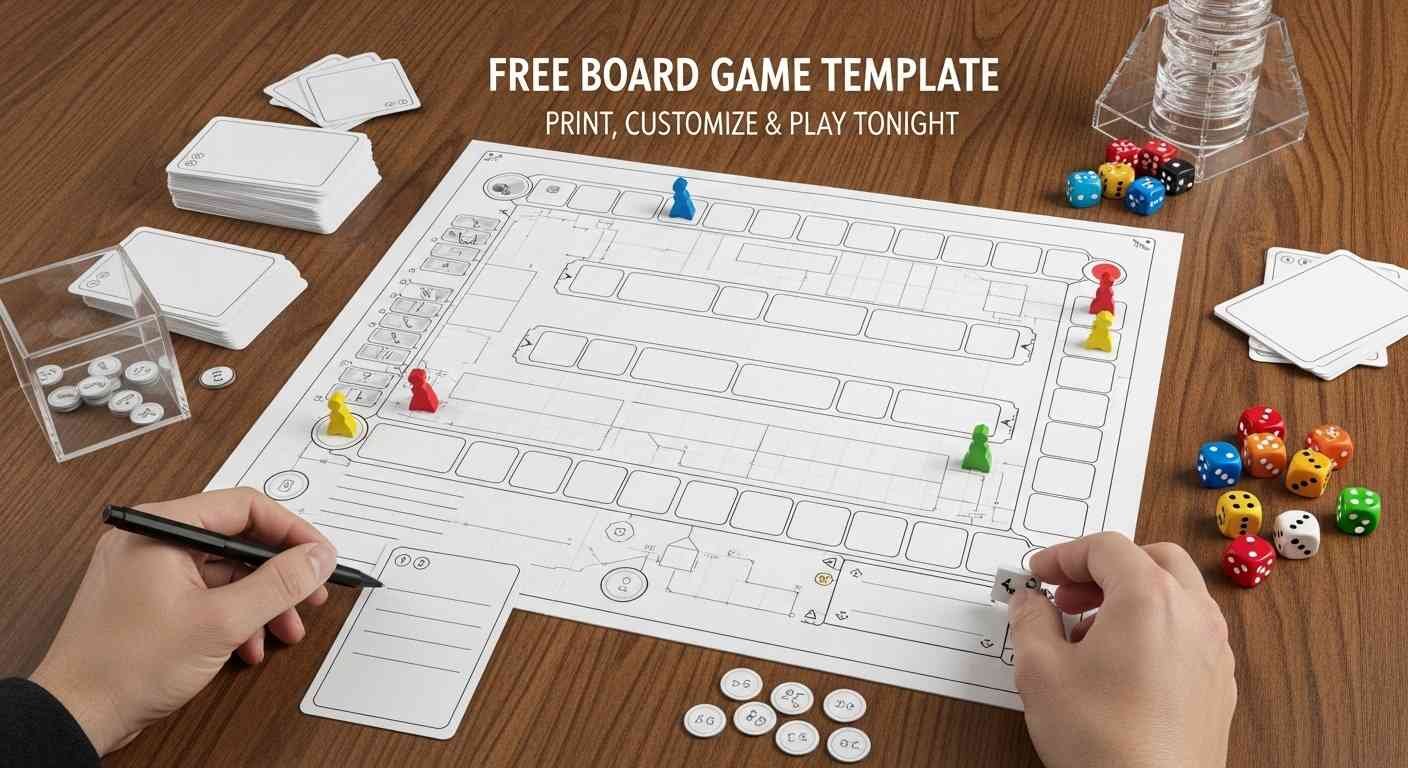
A playable board game and a fun board game are different things. These principles separate the two.
Give players meaningful choices. Pure luck games — where players only roll dice and follow instructions — are fine for young children but lose adult players quickly. Include at least one moment per turn where a player makes a genuine decision: which path to take, which card to play, which opponent to target.
Create interaction between players. Games where players proceed in parallel with no effect on each other feel solitary even in a group. Add mechanics that create interaction — trading, voting, targeting, helping. Interaction is what makes a group game feel like a group experience.
Make the end game tense. The final few turns should feel uncertain. If the winner is obvious ten minutes before the game ends, the remaining play feels like a formality. Design your win condition to keep multiple players in contention until the final space or final card.
Test with real players, not just your imagination. Games that seem balanced in your head reveal their problems immediately when played. A single playtest session is worth ten design hours spent theorizing.
Iterate quickly. The difference between a mediocre game and a good one is usually one or two specific rule changes identified through playtesting. Write your rules in pencil, play the game, fix what doesn’t work, play again. The best homemade games are third or fourth drafts, not first ones.
Keep the rules short enough to explain in two minutes. If you cannot explain your game in two minutes or less, the game is too complex. Reduce until the core concept is simple enough to say in one sentence and the full rules fit on one side of a sheet of paper.
Free Board Game Templates — Quick Reference
| Template Type | Best Tool | Best Use Case | Difficulty to Create |
|---|---|---|---|
| Linear Track | Google Slides, Canva | Race games, review games | Easy |
| Grid | Google Sheets, Word | Strategy, word placement | Very Easy |
| Spiral | Canva, hand-drawn | Journey games | Medium |
| Zone/Map | Canva, Google Slides | Territory, geography | Medium |
| Custom Shape | Canva, hand-drawn | Themed children’s games | Hard |
| PDF Printable | Print directly | Fastest physical option | Minimal |
Build a Jeopardy Board Instead
If your goal is a classroom review game rather than a traditional board game, a Jeopardy-style grid is often faster to build, easier to run, and more engaging for students than a linear track game.
SyceGamesHack has a complete guide to building a free Jeopardy game in under ten minutes — covering every major free tool, how to write effective questions, and how to run the game perfectly. Check out the full Jeopardy Game Maker guide for the fastest path from concept to classroom game.
Play Free Games at SyceGamesHack
Looking for free games to play while your board game template dries or prints? SyceGamesHack has 160+ free browser games — party games, word games, puzzle games, and multiplayer games — all completely free, no download required, no ads, and fully accessible on school Chromebooks, phones, and any desktop browser.
Zero ads. Zero downloads. Zero sign-up. Open the link and play instantly.
Related Articles You’ll Love
- Jeopardy Game Maker — the fastest way to build a classroom review game — no template needed, just a browser
- How to Play MASH — the original pen-and-paper game that needs zero template and takes 30 seconds to set up
- Game of Life Rules — the complete rules for one of the most popular board games ever made — great reference for designing your own life-simulation game
- Left Right Center Game Rules — the simplest dice game ever — a great mechanic to borrow for your own board game design
- Murder Mystery Board Game — the most theatrical board game experience — excellent design inspiration for narrative board games
- Imposter Game Generator — free word-based party game that shows how simple mechanics create deep engagement
- Fishbowl Game — zero-component party game that proves great games don’t need any board at all
FAQs
Q: What is the best free board game template for teachers?
Google Slides templates are the best option for teachers — they’re free, editable without any design skills, printable directly, and shareable with students via link. Search “board game template Google Slides free” for community-created options that copy directly to your Google Drive. For the fastest physical result, a printable PDF template that students fill in by hand during class is the most practical option requiring zero technology preparation.
Q: How do I make a board game template in Google Slides?
Open a new Google Slides presentation. Set the slide dimensions to match your paper size — go to File → Page Setup → Custom and enter your dimensions. Draw a path of rectangular spaces using the shape tool, connect them with lines, add a START and FINISH text box, and duplicate the slide as many times as needed for multiple copies. Alternatively, search “board game template Google Slides” in the template gallery and copy a pre-made version rather than building from scratch.
Q: What size should a board game template be?
A4 or US letter size — 8.5×11 inches — works for tabletop games with two to four players where the board sits between players within easy reach. A3 or US tabloid — 11×17 inches — is better for five or more players where everyone needs to see the full board simultaneously. For large classroom or party games projected on screen, slide presentation format at standard 16:9 dimensions works well.
Q: How many spaces should a board game have?
The number of spaces determines game length. For a 20–30 minute game use 25–35 spaces. For a 30–45 minute game use 40–55 spaces. For a 45–60 minute game use 60–75 spaces. These estimates assume players roll a standard die averaging 3–4 spaces per turn. Adjust based on your specific movement mechanic — faster movement means fewer spaces needed for the same game length.
Q: Can I sell a board game I made using a free template?
This depends on the specific template’s licence. Templates marked Creative Commons or labelled for commercial use can be used in products you sell. Templates downloaded from platforms like Canva may have commercial use restrictions depending on your subscription tier. Templates you create entirely from scratch — even using Canva’s basic shapes and text tools — are generally yours to use commercially. Always check the specific licence of any template before selling a product based on it.
Q: What materials do I need to make a physical board game from a template?
At minimum: printed template, scissors or guillotine cutter for cards, a standard die, and small objects as player pieces — coins, buttons, or small toys work perfectly. For a more durable result: card stock for printing, a laminator for the board, card sleeves for game cards, and purchased token sets from craft stores. A complete functional board game can be created for under five dollars in materials.
Q: How do I make board game cards to go with my template?
Create a card template in Google Slides or Canva at playing card dimensions — approximately 6.3cm × 8.8cm or 2.5×3.5 inches. Arrange multiple cards on a single A4 or letter page — a 3×3 grid fits nine cards per page. Fill each card with your content — questions, challenges, or actions — and print on card stock. Cut along the grid lines. For professional edges use a guillotine cutter. Sleeve finished cards in standard trading card sleeves for durability and easy shuffling.
Q: What makes a good board game for classroom use?
Classroom board games work best when they combine a simple movement mechanic — roll and advance — with content delivery through cards rather than spaces. This means the board provides structure and pacing while cards carry all subject-specific content — making it easy to update content for different units without redesigning the board. Keep rules explainable in two minutes, ensure every student participates on every turn through answer-aloud mechanics, and target 15–25 minutes of play time for standard class periods.
Q: Can young children make their own board games using templates?
Yes — making a simple board game is an excellent creative activity for children aged six and up. Provide a pre-printed blank linear track template, coloured markers, and a stack of blank index cards. Children draw and colour the board, write simple instructions on spaces, and create challenge cards for each other. The finished game doesn’t need to be perfectly balanced — the creation process is the primary value. Children who make games develop a surprisingly strong intuitive understanding of rules, fairness, and game mechanics.
Q: Where can I find a blank board game template printable for free?
The fastest sources for free printable board game templates are Teachers Pay Teachers — which offers many free teacher-submitted templates — Pinterest boards curated around “printable board game templates,” and Google Images searched with “blank board game template printable free.” For editable versions rather than fixed PDFs, the Canva free template library and Google Slides community templates are the best starting points.